ON POINT QUILTER
  • Blog
  • About
  • EQ8 Training
    • Tech Know Quilters
    • EQ8 Made Easy
    • Electric Quilt 8 Sneak Peek
  • Store
  • Contact
  • Majestic View EQ8 Free Live Webinar
  • TKQ Current Class List January 2026
  • Tech Know Quilters Six Month Pass
Picture

Swedish Heart Baskets

2/3/2024

 
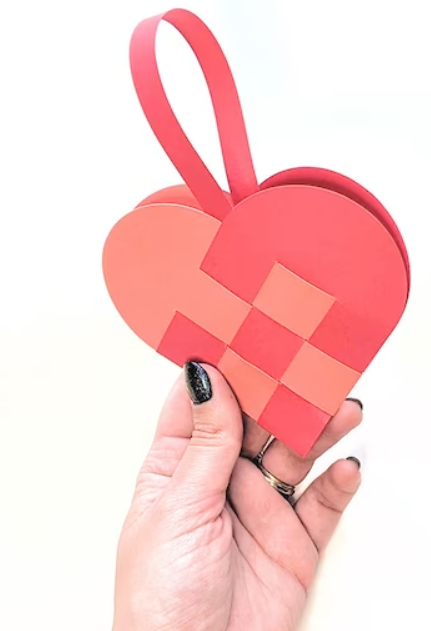
Another new heart block and quilt.  This one was inspired by an email I received from Fran H. (a talented Tech Know Quilters member) on a Swedish Heart Christmas ornament.

​In this weeks video tutorial, I will share how to draft an interwoven heart using the Applique toolkit in Electric Quilt 8 and a new quilt featuring this block.

Swedish Heart Baskets EQ8 Tutorial

Back when I started quilts (more than a few years ago), I remember making some of these woven hearts for Christmas ornaments.   It might have been something I saw in a magazine or maybe shared by my quilt guild. 

Have you made these ornaments?  It is a really fun paper or fabric activity.

There appear to be quite a few You Tube videos on constructing the woven heart designs (for either paper or fabric).  Check them out if you would like to make your own.    Maybe fill your "basket" with some Hershey's kisses for a quick and easy gift.
Picture
Swedish Heart Basket Out of Paper

Woven Unit Ideas


Any EasyDraw block that can be drawn with horizontal and vertical lines than can be drawn from one edge of the block to the other, is perfect for incorporating in a Swedish Heart Basket block.  Here are a few examples I came up with.
Picture
3 x 3 Grid (9 Patch)
Picture
4 x 4 Grid
Picture
5 x 5 Grid
Picture
4 x 4 Grid with uneven strips. This could be drawn in EasyDraw with Snaps set at 10 x 10.
Picture
5 x 5 Grid with Uneven Strips. This could be drawn in EasyDraw with Snaps set at 9 x 9.
Picture
5 x 5 Grid with uneven strips. This could be drawn in EasyDraw with Snaps set at 10 x 10.

Drafting the Swedish Heart Basket Block
To turn these into a quilting block pattern, I found it useful to draw the Swedish Basket hearts as applique motifs.  Those "curves at the top of the heart" help cement the decision.

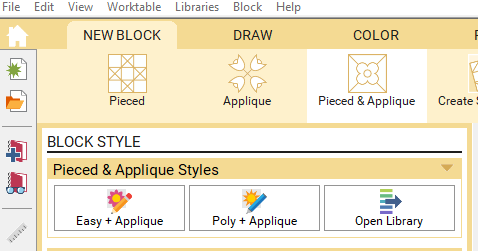
However, if you want a background behind the hearts, the best style to use is either Easy+Applique or Poly+Applique.  Both work equally well.
Picture
Block Options in EQ8
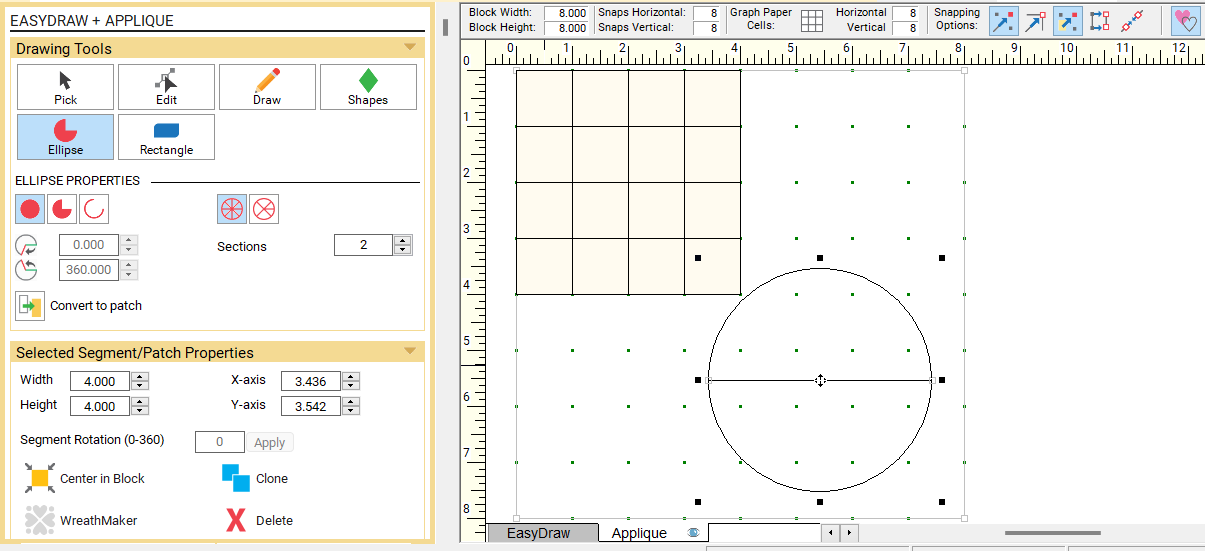
PictureSetting Up the Worktable and Drafting the Squares
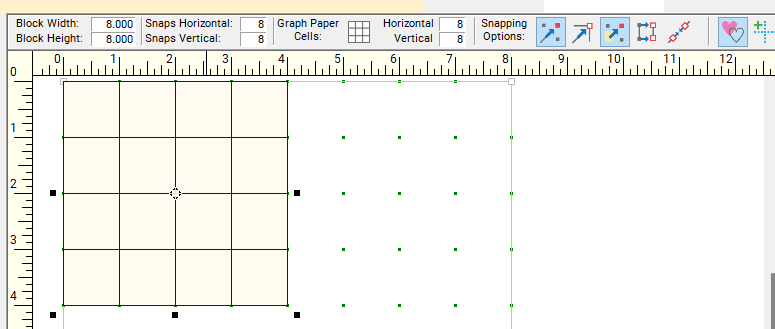
Set up a block size double the size of the segment of your block that is comprise of squares and rectangles.

For my four by four grid, I set up an eight inch block and placed the four by four grid in the upper left corner.

Set the snaps horizontal and vertical at 8 x 8.

Under Snapping Options, turn on Snap to Grid and Snap Whole Patch to Grid Point.

Under Shapes find the square and drag a 1" square on the worktable.

Clone and reposition for 16 squares in the upper left corner.
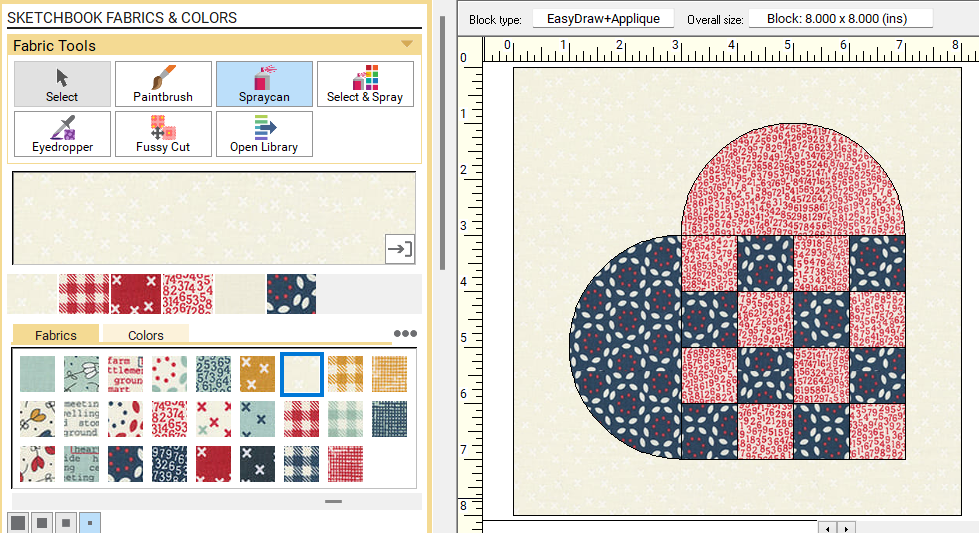


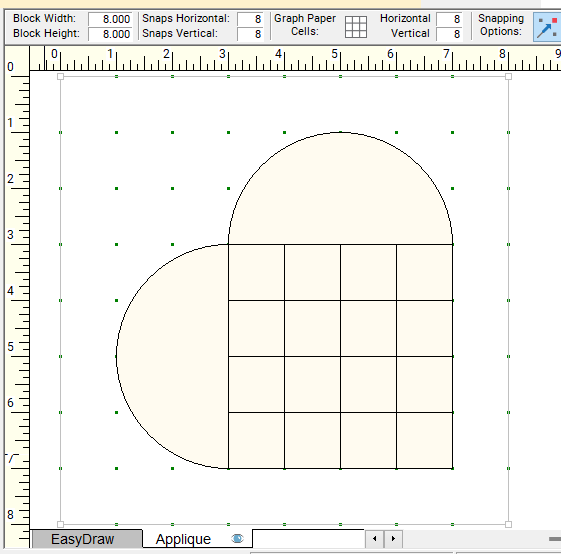
Use the ellipse tool to draft the circle and divide it into two half circles.  

Put one half circle on the right side of the 4 x 4 segments.

​Put the other half circle on the bottom of the 4 x 4 segment.
Picture
Using the Ellipse Tool for the Half Circles
Rotate all the patches as a single unit.

Center in Block.

Color with a background and two "feature" fabrics.

I used the Moda Vintage fabric collection for coloring the project.  It was the free Fabric of the Month offered by Electric Quilt in November 2023.
Picture
Swedish Basket Heart drafted as Applique Motif.
Picture
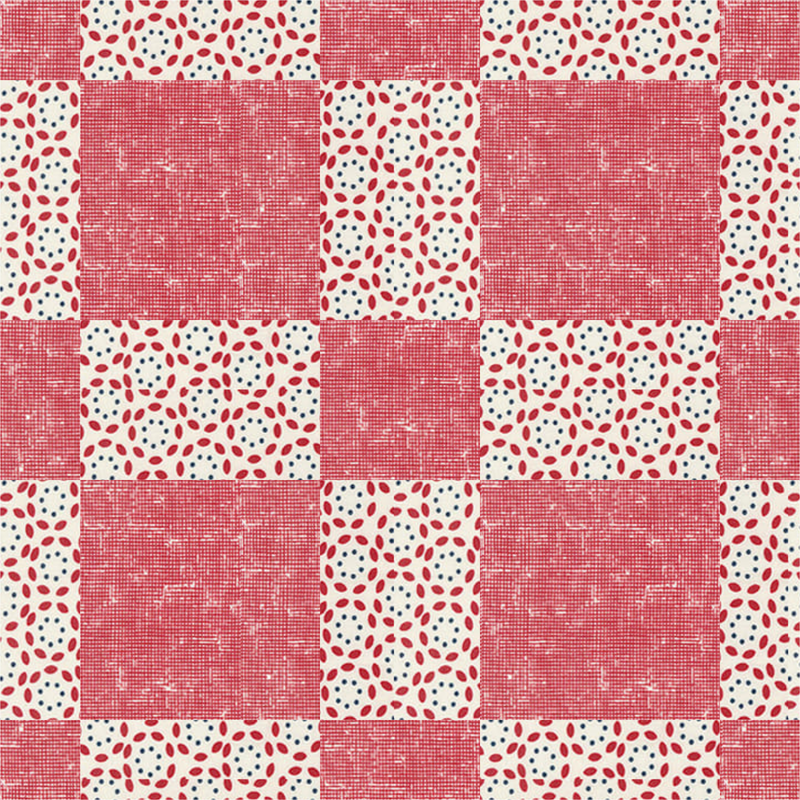
Swedish Basket Heart Colored with Vintage fabric collection from Moda.

Drafting the Alternate Blocks

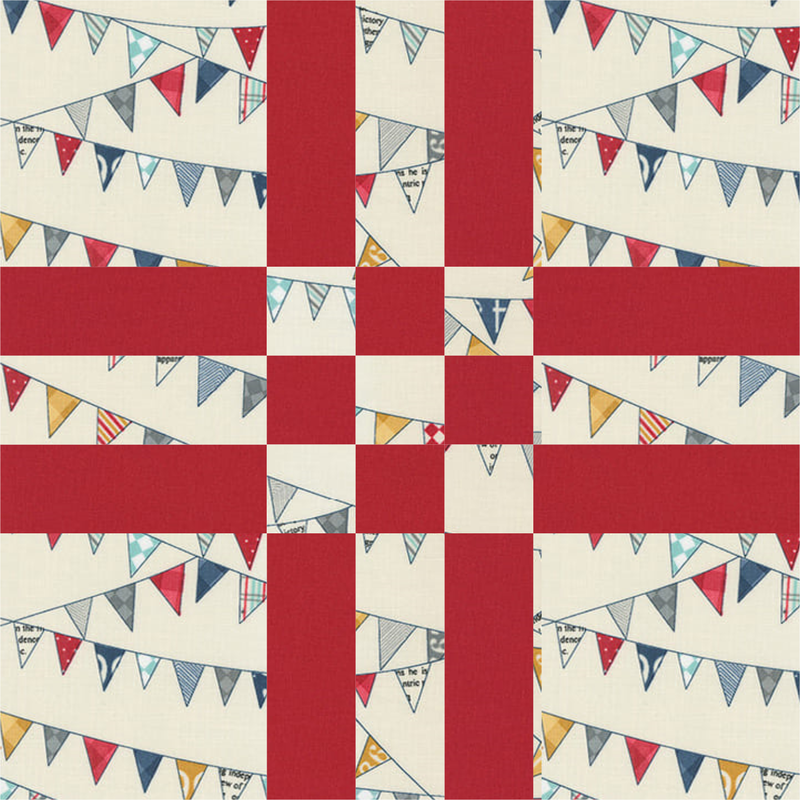
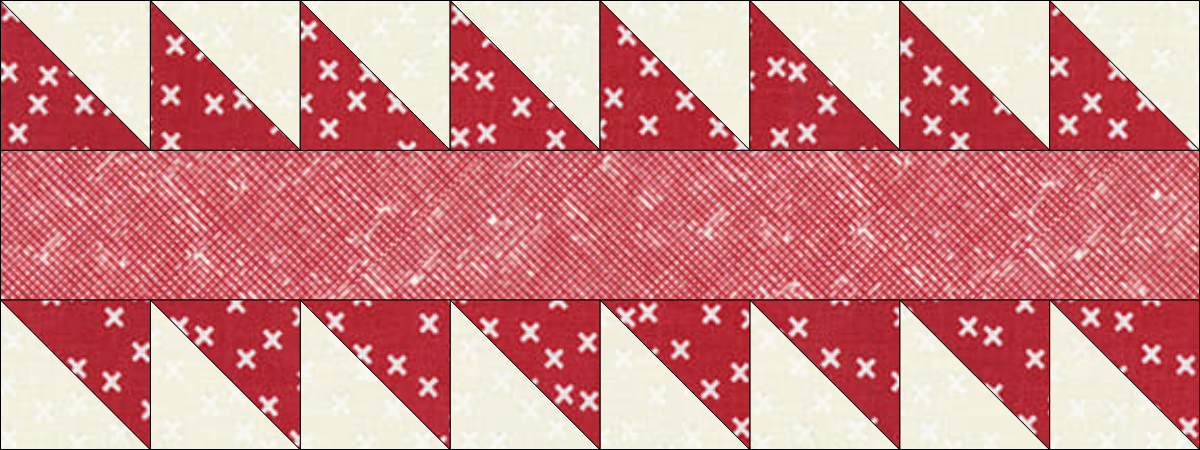
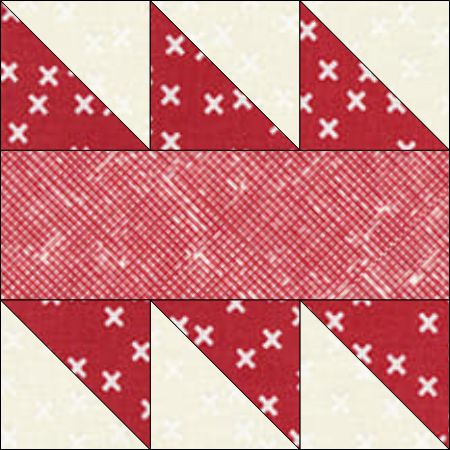
Create pieced blocks comprised of half square triangle units and rectangles for sashing and cornerstone units.

As a bonus, these same blocks will be used in the border (at the exact same sizes as in the sashing and cornerstones.
Picture
Sashing Block (Drafted at 8" x 3")
Picture
Cornerstone Block (Drafted at 3" x 3")

Swedish Basket Heart Quilt Layout

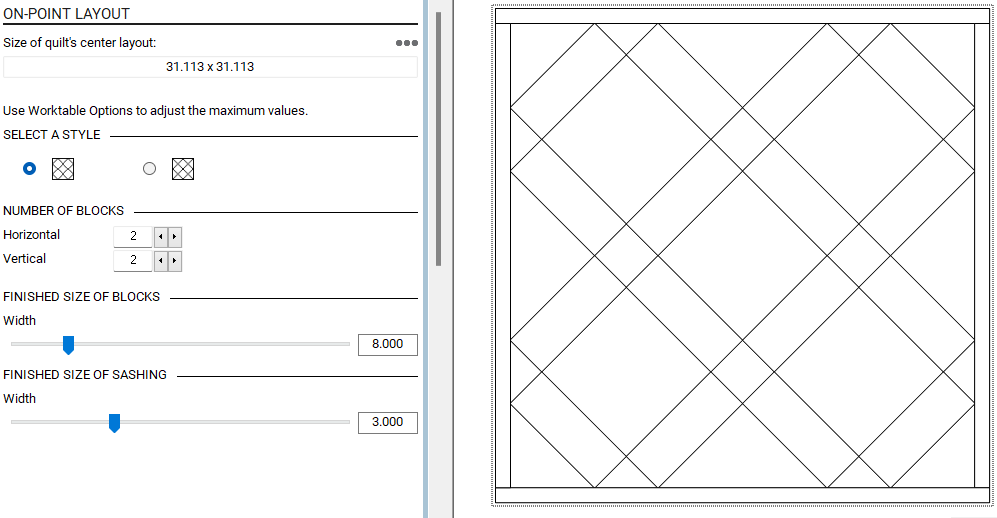
Set up an on point layout.

Number of blocks 2 x 2.

Size of block 8".

​Size of sashing 3".
Picture
Quilt Layout Set Up

Quilt Borders

Borders are as follows:

Border #1  - .5 Long Horizontal.  (I figured out the math for this one so the next border could use the same size blocks as the sashing and cornerstones.)

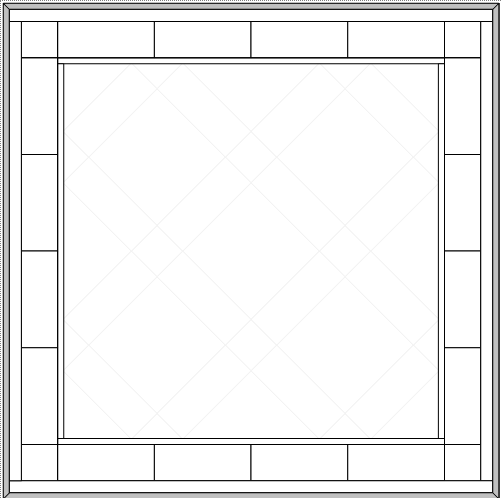
Border #2 - 3" Blocks.  Number of blocks 4 x 4.

Border $3 - 1" Long Horizontal.

​Border #4 - .5" Mitered (binding).
Picture
Quilt Borders Set Up

Putting Together the Quilt Design

Place blocks in quilt.

Rotate heart blocks (if desired).

Finish coloring the quilt.

If using a plaid or check fabric, consider rotating the fabric in any diagonal pieces.

Picture
Populating and Coloring the Quilt
Watch the video for more information on how to draft the blocks and quilt using Electric Quilt 8.
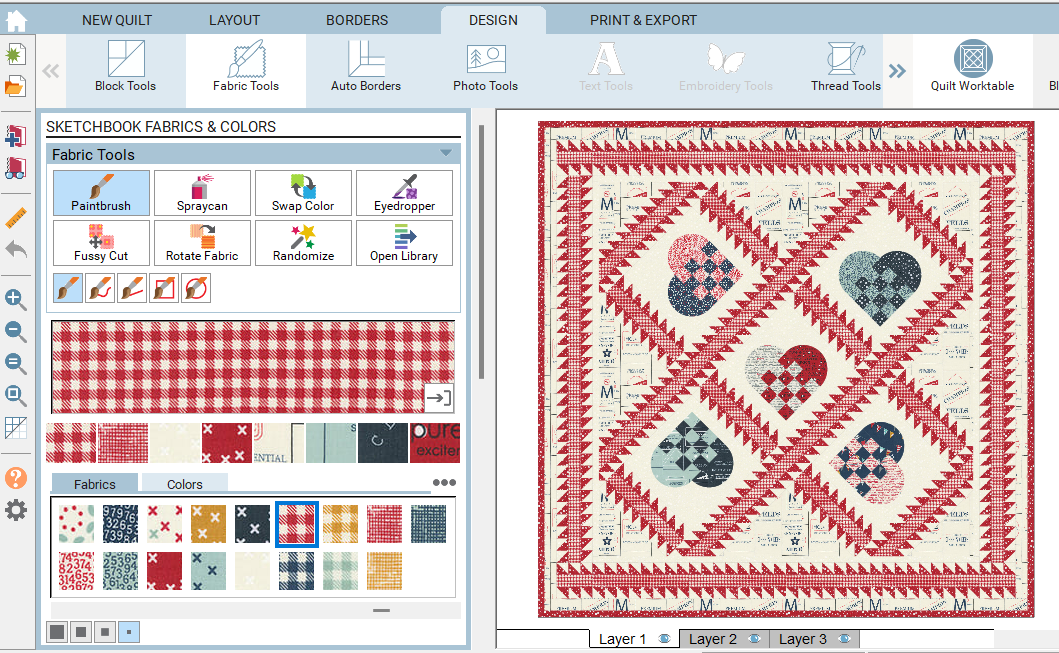
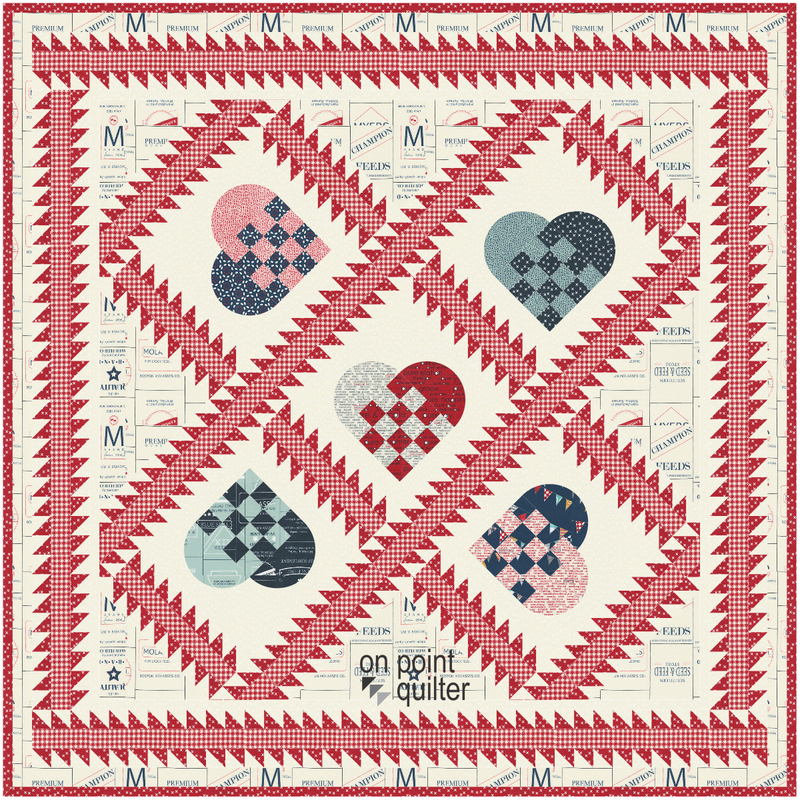
Here is the final quilt from the video.
Picture
Swedish Heart Basket Quilt drawn using Electric Quilt 8
Think through how you could personalize the design.  A few ideas:
  • Swap out the fabrics with a different fabric collection.
  • Swap out the "weave" portion of the heart using one of the options above.  Or design your own option.  Make sure any design is "weave" friendly.
  • Change up the sashing and cornerstone units.
  • Design a different pieced border.
Share your quilt in the Learning EQ Facebook group.  I would love to see your design.
Learning EQ Facebook Group Post for Swedish Heart Basket Blocks and Quilt
Picture
Happy quilting.

​Kari

Join the On Point Quilter weekly newsletter and receive regular tips and inspiration on using Electric Quilt 8 along with the  Free 12 Top
Tips for EQ8 video guide.
Picture
Fran
2/4/2024 04:09:07 pm

Thanks Kari. Very cool. Just in time for Valentines Day.


Comments are closed.
    Picture
    Picture
    Picture
    Free guide available for newsletter subscribers
    Picture
    Picture
    Picture

    Kari Schell

    Electric Quilt Expert and Educator and Pattern Designer.

    Categories

    All
    Art And Stitch
    Cricut Maker
    Dear Jane
    Electric Quilt 7
    Electric Quilt 8
    Goose Goose Duck Challenge
    Inkscape
    Patterns
    Silhouette Cameo
    Stampin Up
    Tips And Techniques
    Tools And Rulers

    Archives

    February 2026
    January 2026
    December 2025
    November 2025
    October 2025
    September 2025
    August 2025
    July 2025
    June 2025
    May 2025
    April 2025
    March 2025
    February 2025
    January 2025
    December 2024
    November 2024
    October 2024
    September 2024
    August 2024
    July 2024
    June 2024
    May 2024
    April 2024
    March 2024
    February 2024
    January 2024
    December 2023
    November 2023
    October 2023
    September 2023
    August 2023
    July 2023
    June 2023
    May 2023
    April 2023
    March 2023
    February 2023
    January 2023
    December 2022
    November 2022
    October 2022
    September 2022
    August 2022
    July 2022
    June 2022
    May 2022
    April 2022
    March 2022
    February 2022
    January 2022
    December 2021
    November 2021
    October 2021
    September 2021
    August 2021
    July 2021
    June 2021
    May 2021
    April 2021
    March 2021
    February 2021
    January 2021
    December 2020
    November 2020
    October 2020
    September 2020
    August 2020
    July 2020
    June 2020
    May 2020
    April 2020
    March 2020
    February 2020
    January 2020
    December 2019
    November 2019
    October 2019
    September 2019
    August 2019
    July 2019
    June 2019
    May 2019
    April 2019
    March 2019
    February 2019
    January 2019
    December 2018
    November 2018
    October 2018
    September 2018
    August 2018
    July 2018
    June 2018
    May 2018
    April 2018
    March 2018
    February 2018
    January 2018
    December 2017
    November 2017
    October 2017
    September 2017
    August 2017
    July 2017
    June 2017
    May 2017
    April 2017
    March 2017
    February 2017
    January 2017
    December 2016
    November 2016
    October 2016
    September 2016
    July 2016
    June 2016
    May 2016
    April 2016
    March 2016
    February 2016
    January 2016
    December 2015
    November 2015
    October 2015
    September 2015
    August 2015
    July 2015
    June 2015
    May 2015
    April 2015
    March 2015
    February 2015
    January 2015
    December 2014
    November 2014
    October 2014
    September 2014
    July 2014
    June 2014
    May 2014
    April 2014
    March 2014
    February 2014
    January 2014
    December 2013
    November 2013
    October 2013
    September 2013
    August 2013

    RSS Feed

Contact:
On Point Quilter
e-mail:  [email protected]
phone:  763-566-6536

GET MY NEWSLETTER FOR REGULAR EQ AWESOMENESS!

* indicates required
  • Blog
  • About
  • EQ8 Training
    • Tech Know Quilters
    • EQ8 Made Easy
    • Electric Quilt 8 Sneak Peek
  • Store
  • Contact
  • Majestic View EQ8 Free Live Webinar
  • TKQ Current Class List January 2026
  • Tech Know Quilters Six Month Pass